Android Service使用总结
Android开发中,当需要创建在后台运行的程序的时候,就要使用到Service。Service 可以分为有无限生命和有限生命两种。
特别需要注意的是Service跟Activities是不同的(简单来说可以理解为后台与前台的区别),例如,如果需要使用Service的话,需要调用startService(),从而利用startService()去调用Service中的OnCreate()和onStart()方法来启动一个后台的Service。
?
启动一个Service的过程如下:
context.startService() ?->onCreate()- >onStart()->Service running
其中onCreate()可以进行一些服务的初始化工作,onStart()则启动服务。
?
停止一个Service的过程如下:
context.stopService() | ->onDestroy()?->Service stop
?
?
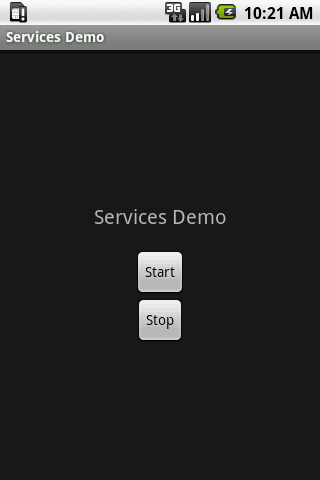
接下来的实例是一个利用后台服务播放音乐的小例子,点击start运行服务,点击stop停止服务。
?
程序运行界面:
?
代码:
定义服务,MyService.java
?
- package?com.example;????import?android.app.Activity;??import?android.content.Intent;??import?android.os.Bundle;??import?android.util.Log;??import?android.view.View;??import?android.view.View.OnClickListener;??import?android.widget.Button;????public?class?ServicesDemo?extends?Activity?implements?OnClickListener?{????private?static?final?String?TAG?=?"ServicesDemo";????Button?buttonStart,?buttonStop;??????@Override????public?void?onCreate(Bundle?savedInstanceState)?{??????super.onCreate(savedInstanceState);??????setContentView(R.layout.main);????????buttonStart?=?(Button)?findViewById(R.id.buttonStart);??????buttonStop?=?(Button)?findViewById(R.id.buttonStop);????????buttonStart.setOnClickListener(this);??????buttonStop.setOnClickListener(this);????}??????public?void?onClick(View?src)?{??????switch?(src.getId())?{??????case?R.id.buttonStart:????????Log.d(TAG,?"onClick:?starting?srvice");????????startService(new?Intent(this,?MyService.class));????????break;??????case?R.id.buttonStop:????????Log.d(TAG,?"onClick:?stopping?srvice");????????stopService(new?Intent(this,?MyService.class));????????break;??????}????}??}?