Installation Guide for Oracle WebLogic Server 11g Release 1 (10.3.3)
?Welcome?欢迎
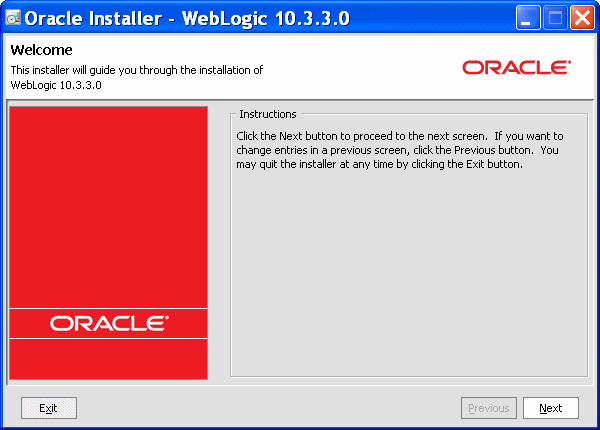
The Welcome screen is displayed each time you start the installer.
?每次当你开始安装时,这个欢迎的界面都会被显示在屏幕上。
Choose Middleware Home Directory选择中间件的Home目录Specify whether you want to register the Oracle WebLogic Server installation with My Oracle Support. By registering, Oracle Support notifies you immediately of any security updates that are specific to your installation.
说明你是否想要通过My Oracle Support注册Oracle WebLogic Server的安装,Oracle Support会在你的安装有任何安全更新可用时立即通知你。
If you want to register your installation, enter your My Oracle Support email address and your My Oracle Support password.
如果你想注册你的安装,输入你的My Oracle Support电子邮件地址和你的My Oracle Support密码。
If you want to decline registration, deselect the
In this screen you see a dialog box with the message "Congratulations! Installation is Complete."
在这个界面你将看到一个写有“恭喜!安装已完成。”的对话框。
If you want to run the QuickStart application, leave the Run QuickStart check box selected. QuickStart is designed to assist first-time users in evaluating, learning, and using the software. It provides quick access to the sample domains, information for upgrading your applications, and the online documentation.
如果你想运行快速启动程序的话,保持“Run QuickStart”前的复选框被选中状态。快速启动程序被设计用来帮助新用户评估、学习和使用本软件。它提供对示例域的快速访问、升级程序的相关信息以及在线文档。
Clear the Run QuickStart check box if you do not want to launch QuickStart.
如果你不想运行快速启动程序的话,取消“Run QuikStart”复选框即可。
?
?
原文:http://download.oracle.com/docs/cd/E14571_01/doc.1111/e14142/install_screens.htm#CECJHABF