WebLogic - Session锁定错误解决
启动服务:
1、首先建立一个新的“服务器”
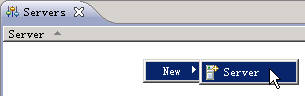
在“Servers”面板空白处点击右键,依次选择【New】-》【Server】:
?
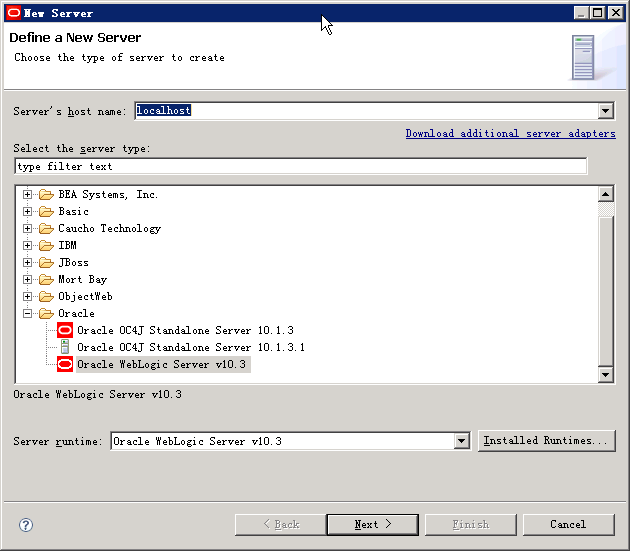
2、选择新服务器的类型
服务器主机名默认为:localhost,类型为:Oracle WebLogic Server v10.3:
?
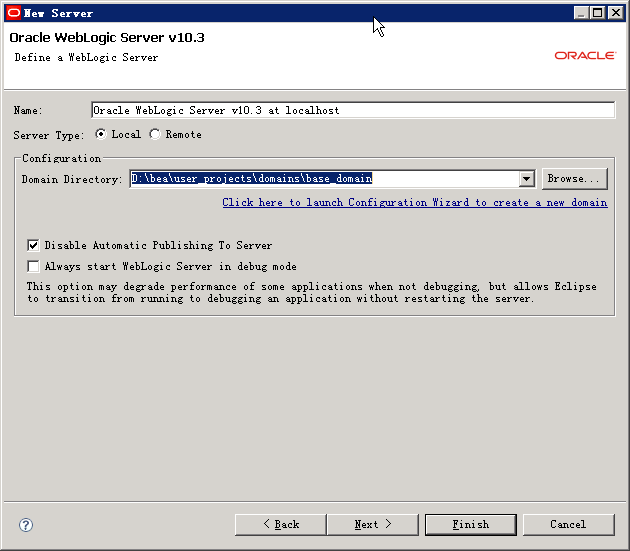
3、选择域的文件路径:
这里选择WebLogic安装路径下的base_domain
注:我们安装WebLogic后有两个domain,分别为:base_domain和test_domain,其实还可以自己创建自定义的domain,点击面板中链接进入新建向导。
4、启动服务器
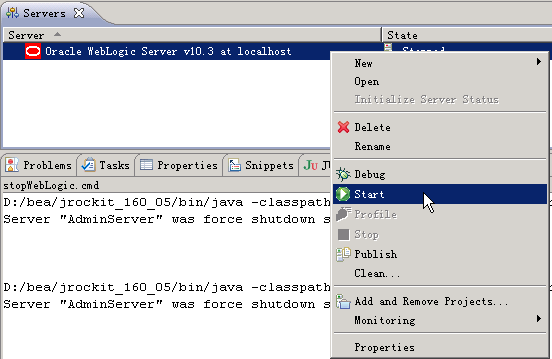
选择新建的服务器,点击右键,选中【Start】即可,通过控制台(Console)面板即可看到启动信息:
?
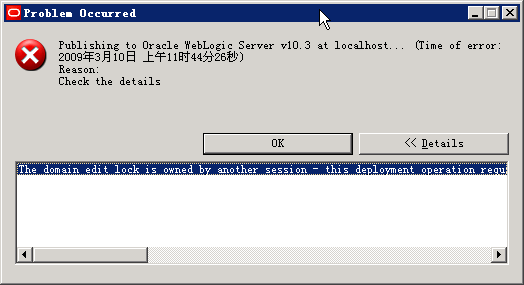
5、出现错误警告
提示:
The domain edit lock is owned by another session - this deployment operation requires exclusive access to the edit lock and hence cannot proceed.
You can release the lock in Administration Console by first disabling "Automatically Acquire Lock and Activate Changes" in Preference,
then clicking the Release Configuration button.
解决方法:
1、进入WebLogic控制台:
链接:http://localhost:7001/console/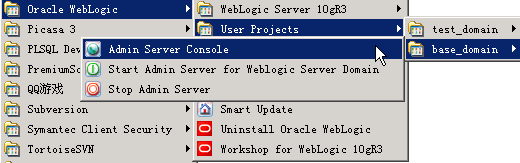
2、进入参数(Preferences)面板: 2010-04-07 13:33 浏览 304 评论(0) 分类:企业架构