简单的新闻滚动
这里直接用jquey的animate函数做的滚动效果
?
效果图:
?
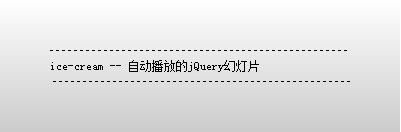
?
?
<script type="text/javascript"> var lineHeight = 30;var time = 1500; $(function(){ activitiesScroll(); }) function activitiesScroll(){ $("ul").hover(function(){ clearInterval(automoving); },function(){ automoving = setInterval("Moving(lineHeight)",time) }).trigger("mouseleave"); } function Moving(lineHeight){ $("ul li:first").animate({marginTop:"-"+lineHeight+"px"},"slow",function(){ $(this).css("margin-top","0").appendTo($(this).parent()); }); } </script>?<style type="text/css"> *{margin:0;padding:0;}a{text-decoration:none;color:#000;}.scroll-text{background: -moz-linear-gradient(top, #fff, #ccc);width:300px;padding:50px;font-size:12px;} ul{height:30px;line-height:30px;overflow:hidden;border:1px dashed #000;border-width:1px 0;}</style> <div class="scroll-text">? <ul><li><a href="http://ice-cream.iteye.com/blog/807041">ice-cream -- 上一张下一张</a></li><li><a href="http://ice-cream.iteye.com/blog/798083">ice-cream -- 二级菜单</a></li><li><a href="http://ice-cream.iteye.com/blog/798067">ice-cream -- 自动播放的jQuery幻灯片</a></li><li><a href="http://ice-cream.iteye.com/blog/714377">ice-cream -- IE下li内元素浮动产生边距的解决办法</a></li>? </ul></div>?
?
?