课程表_android创新班作业
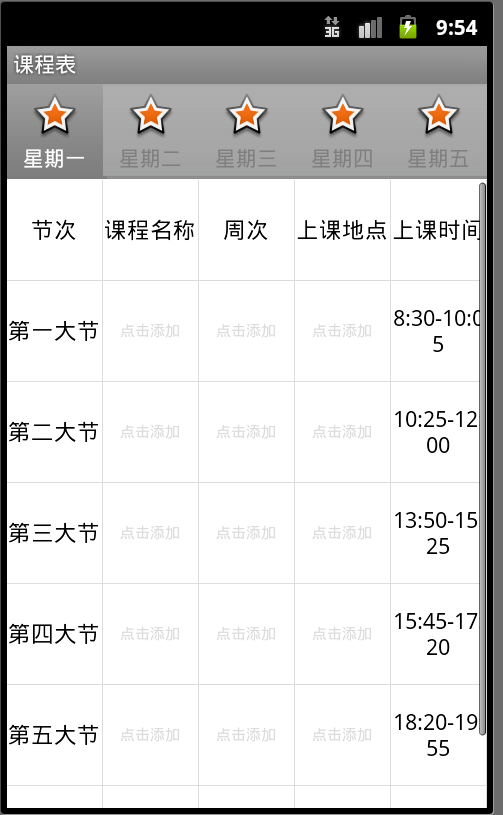
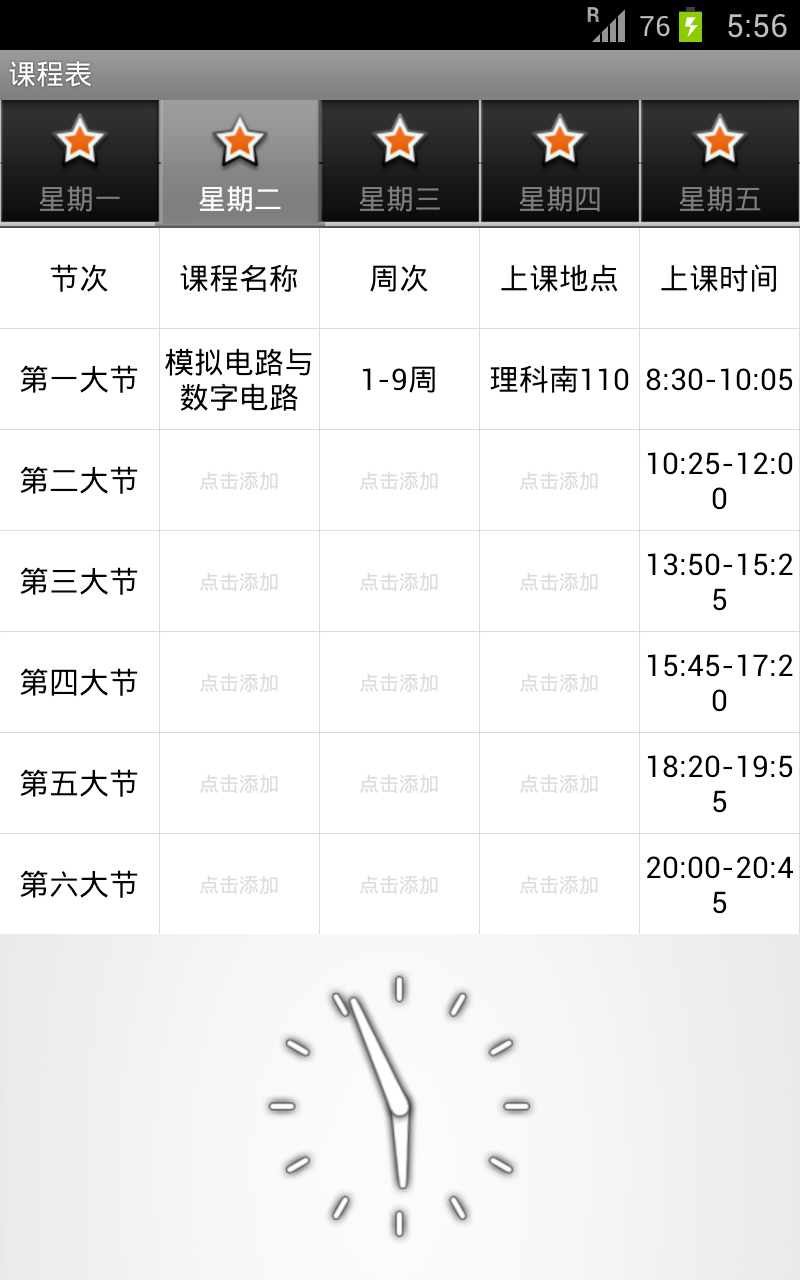
作业要求是用tab和grid做一个课程表app,而且要在grid下显示一个虚拟时钟,要求比较简单而且自由,我自己加了些其他功能进去,这次自我学习让我学习到了很多东西,包括动态生成UI等的实现方法,效率方面是我编程生涯一直以来时刻都在考虑的东西,这次的代码也能很好的体现出来,当然里面的TextView控件可以控制在一个tab内的级别,由于有些疏懒而直接把所有Grid内的TextView都独立出来了.
界面视图:
(虚拟机下)
(实机测试)
MainActivity代码:
package com.fp.homework2;import android.os.Bundle;import android.app.AlertDialog;import android.app.TabActivity;import android.widget.BaseAdapter;import android.widget.TabHost;import android.widget.TextView;import android.widget.GridView;import android.widget.AnalogClock;import android.widget.LinearLayout;import android.widget.Toast;import android.widget.EditText;import android.view.MotionEvent;import android.view.View;import android.view.ViewGroup;import android.view.Gravity;import android.content.DialogInterface;import android.content.SharedPreferences; import android.content.SharedPreferences.Editor; public class MainActivity extends TabActivity implements TabHost.TabContentFactory {private TabHost tabHost;private GridView grid;@Override protected void onCreate(Bundle savedInstanceState) { super.onCreate(savedInstanceState); getGridTextViews(); tabHost = getTabHost(); tabHost.addTab(tabHost.newTabSpec("tab1") .setIndicator("星期一", getResources().getDrawable(R.drawable.star_big_on)) .setContent(this)); tabHost.addTab(tabHost.newTabSpec("tab2") .setIndicator("星期二", getResources().getDrawable(R.drawable.star_big_on)) .setContent(this)); tabHost.addTab(tabHost.newTabSpec("tab3") .setIndicator("星期三", getResources().getDrawable(R.drawable.star_big_on)) .setContent(this)); tabHost.addTab(tabHost.newTabSpec("tab4") .setIndicator("星期四", getResources().getDrawable(R.drawable.star_big_on)) .setContent(this)); tabHost.addTab(tabHost.newTabSpec("tab5") .setIndicator("星期五", getResources().getDrawable(R.drawable.star_big_on)) .setContent(this)); Toast.makeText(MainActivity.this, "点击可修改具体课程",Toast.LENGTH_SHORT).show(); } @Override protected void onDestroy() { saveToFile(); Toast.makeText(MainActivity.this, "已保存课表信息",Toast.LENGTH_SHORT).show(); super.onDestroy(); } public void saveToFile(){SharedPreferences preferences = getSharedPreferences("classinfo",0); Editor edit=preferences.edit(); for(int i=0;i<5;i++) { for(int j=0;j<35;j++) { if(((j>5)&&(j<9))||((j>10)&&(j<14))||((j>15)&&(j<19))||((j>20)&&(j<24))||((j>25)&&(j<29))||((j>30)&&(j<34))) { if(tv[i][j].getText().toString()!="点击添加") edit.putString(i+","+j, tv[i][j].getText().toString()); } } } edit.commit(); }//创建用于网格视图的TextViewspublic TextView tempview;private void getGridTextViews(){tv = new TextView[5][35];SharedPreferences preferences = getSharedPreferences("classinfo",0);View.OnTouchListener tl = new View.OnTouchListener() {@Overridepublic boolean onTouch(View v, MotionEvent event) {if(event.getAction()==MotionEvent.ACTION_DOWN){v.setBackgroundColor(0xffCDCDFF);}elsev.setBackgroundColor(0xffffffff);return false;}};View.OnClickListener cl = new View.OnClickListener() {@Overridepublic void onClick(View v) {tempview = (TextView)v;LinearLayout ll = new LinearLayout(MainActivity.this);TextEntry = new EditText(MainActivity.this);TextEntry.setLayoutParams(new LinearLayout.LayoutParams(LinearLayout.LayoutParams.FILL_PARENT,LinearLayout.LayoutParams.WRAP_CONTENT));ll.addView(TextEntry);new AlertDialog.Builder(MainActivity.this).setTitle("请输入").setView(ll).setPositiveButton("确定",new DialogInterface.OnClickListener() {public void onClick(DialogInterface dialog,int whichButton) {tempview.setText(TextEntry.getText().toString());tempview.setTextColor(0xff000000);tempview.setTextSize(15);}}).setNegativeButton("取消",new DialogInterface.OnClickListener() {public void onClick(DialogInterface dialog,int whichButton) {}}).create().show();}}; for(int i=0;i<5;i++) { int constrid = 0; for(int j=0;j<35;j++) { tv[i][j] = new TextView(this); tv[i][j].setGravity(Gravity.CENTER); tv[i][j].setLayoutParams(new GridView.LayoutParams(GridView.LayoutParams.FILL_PARENT, 100)); tv[i][j].setBackgroundColor(0xffffffff); //设置背景颜色 if(((j>5)&&(j<9))||((j>10)&&(j<14))||((j>15)&&(j<19))||((j>20)&&(j<24))||((j>25)&&(j<29))||((j>30)&&(j<34))) { //从配置文件中读取储存的信息 String pstr = preferences.getString(i+","+j, ""); if(pstr!="") { tv[i][j].setText(pstr); tv[i][j].setTextColor(0xff000000); tv[i][j].setTextSize(15); } else { tv[i][j].setText("点击添加"); tv[i][j].setTextColor(0xffdcdcdc); tv[i][j].setTextSize(10); } //响应触摸事件 tv[i][j].setOnTouchListener(tl); //响应click事件 tv[i][j].setOnClickListener(cl); } else { tv[i][j].setText(constr[constrid]); tv[i][j].setTextColor(0xff000000); tv[i][j].setTextSize(15); constrid++; } } }} public int gettab(String tab) {if(tab=="tab1") return 0; else if(tab=="tab2") return 1; else if(tab=="tab3") return 2; else if(tab=="tab4") return 3; else if(tab=="tab5") return 4;return -1;}public int temptab,tempposition;public EditText TextEntry; public View createTabContent(String tab) { grid = new GridView(this); grid.setNumColumns(5); grid.setBackgroundColor(0xffDCDCDC); grid.setHorizontalSpacing(1); grid.setVerticalSpacing(1); temptab = gettab(tab); grid.setAdapter(new TextAdapter()); AnalogClock dc = new AnalogClock(this); dc.setLayoutParams(new LinearLayout.LayoutParams(LinearLayout.LayoutParams.FILL_PARENT, LinearLayout.LayoutParams.MATCH_PARENT));//创建线性布局LinearLayout ll = new LinearLayout(this);ll.setOrientation(LinearLayout.VERTICAL);ll.setHorizontalGravity(Gravity.CENTER);ll.addView(grid);ll.addView(dc); return ll; } //自定义配适器 public class TextAdapter extends BaseAdapter { public TextAdapter() { } public int getCount() { return 35; } public Object getItem(int position) { return position; } public long getItemId(int position) { return position; } public View getView(int position, View convertView, ViewGroup parent) { return tv[temptab][position]; } } public TextView[][] tv; public String[] constr = { "节次","课程名称","周次","上课地点","上课时间", "第一大节","8:30-10:05", "第二大节","10:25-12:00", "第三大节","13:50-15:25", "第四大节","15:45-17:20", "第五大节","18:20-19:55", "第六大节","20:00-20:45" };}源码下载:http://dl.vmall.com/c03wzyimgy