android 实现分享功能
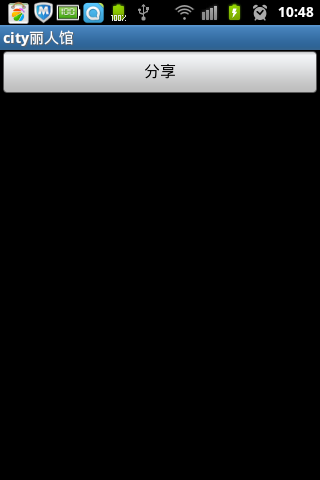
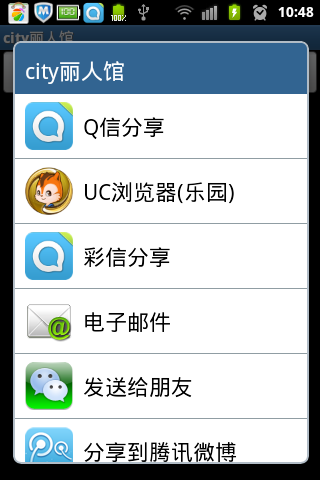
首先新建share.xml布局文件
<?xml version="1.0" encoding="utf-8"?><LinearLayout xmlns:android="http://schemas.android.com/apk/res/android" android:layout_width="fill_parent" android:layout_height="fill_parent" android:orientation="vertical" > <Button android:id="@+id/share" android:layout_width="fill_parent" android:layout_height="wrap_content" android:text="分享" /></LinearLayout>
然后是新建Activity
/** * ShareActivity.java * 版权所有(C) 2012 * 创建:cuiran 2012-10-17 上午9:23:05 */package com.cayden.citygirl.activity;import android.app.Activity;import android.content.Intent;import android.os.Bundle;import android.view.View;import android.widget.Button;/** * TODO * @author cuiran * @version TODO */public class ShareActivity extends Activity {@Overrideprotected void onCreate(Bundle savedInstanceState) {// TODO Auto-generated method stubsuper.onCreate(savedInstanceState);setContentView(R.layout.share);Button share=(Button)this.findViewById(R.id.share);share.setOnClickListener(new View.OnClickListener() {@Overridepublic void onClick(View v) {Intent intent=new Intent(Intent.ACTION_SEND); intent.setType("image/*"); intent.putExtra(Intent.EXTRA_SUBJECT, "Share"); intent.putExtra(Intent.EXTRA_TEXT, "I have successfully share my message through my app (分享自city丽人馆)"); intent.setFlags(Intent.FLAG_ACTIVITY_NEW_TASK); startActivity(Intent.createChooser(intent, getTitle())); }});}}
- 2楼easyer20122012-10-18 08:14
- 你好,本人新手,容我弱弱的问一句,何为分享功能?什么情况下需要使用分享功能?能否详细的解释一下?见笑了,哈哈
- Re: cuiran2012-10-18 08:21
- 回复easyer2012n你太谦虚了,呵呵,我个人观点认为,分享主要用来在阅读或淘宝这种客户端的时候,有些好的文章或好的商品可以通过上面的方法进行分享。
- 1楼jindegegesun2012-10-17 15:48
- 我觉得你可以在这里文字说明下,哪些是分享功能实现所必须的,也就是要实现分享,关键在哪里。这样大家可以更加明白。
- Re: cuiran2012-10-17 15:50
- 回复jindegegesunn非常感谢你提出的意见,以后会多加注意,祝你工作顺利。