Install Windows 7 on Oracle VirtualBox 4.2
/*garcon1986*/
Today I've installed Oracle VirtualBox 4.2 just for curiosity and I'll show you how to Install Windows 7 on it.
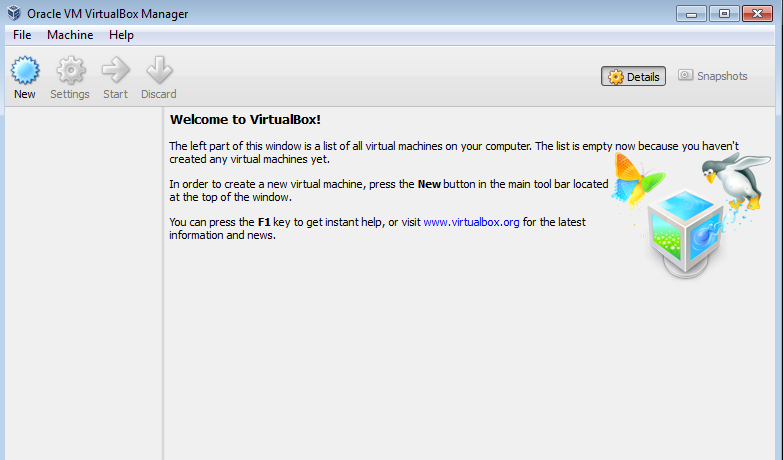
1) Here is the main interface
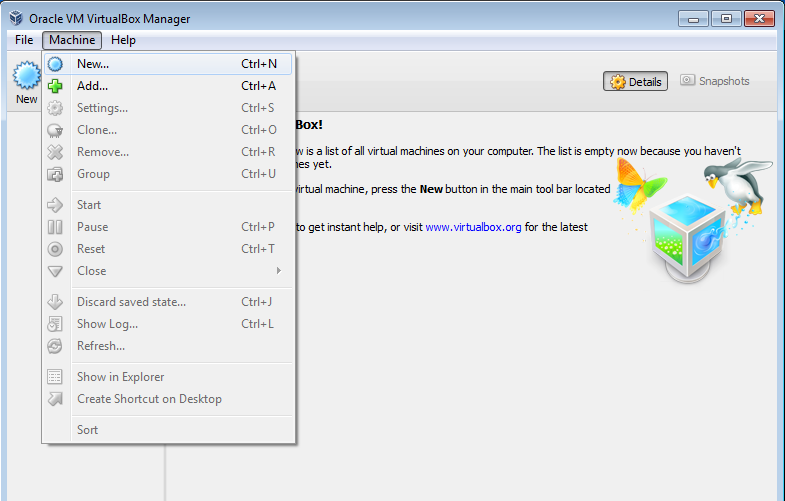
2) Click "New" to add a new virtual machine
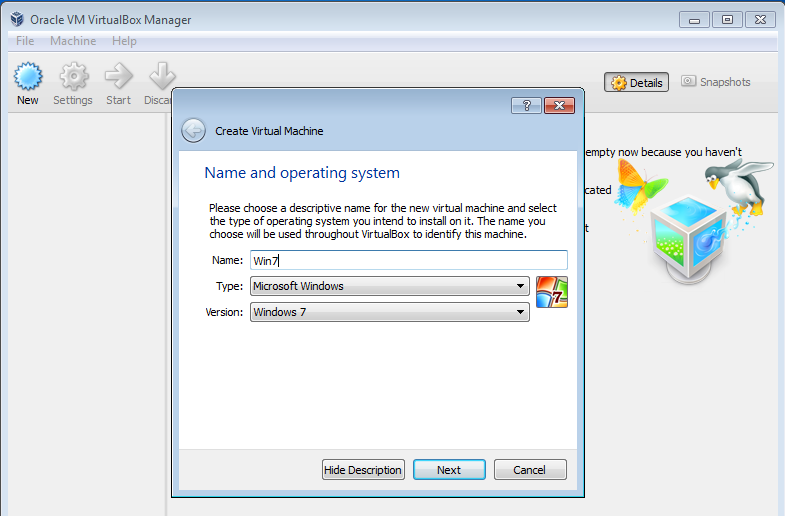
3) Name your installing system
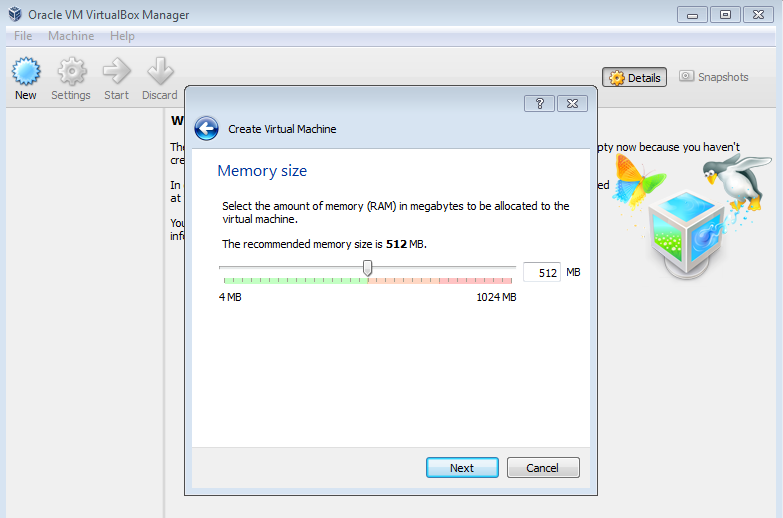
4) Set the memory size of virtual machine, this option can be modified when you have installed the system
5) Choose your hard disk mode
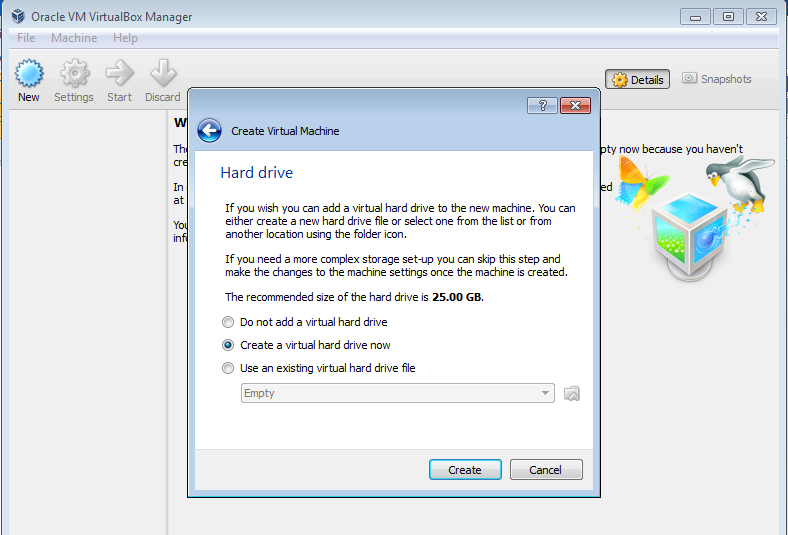
6) Choose drive file type, normally just choose the default one
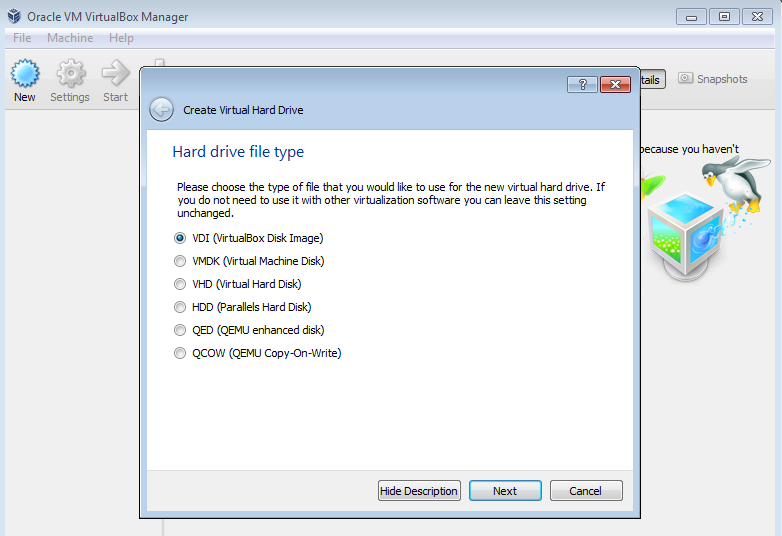
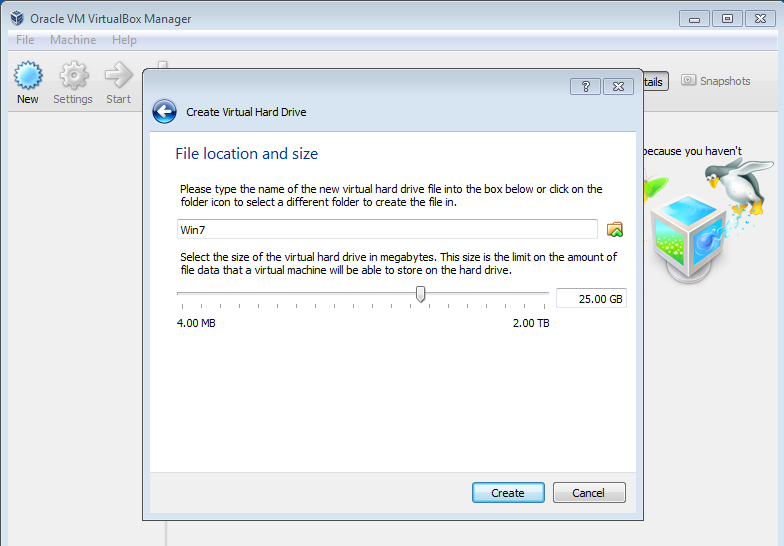
7) Dynamically allocate the system occupied space

8) Set the maximum size of the system
9) Now the empty system is configured, you need to install system with .iso file

10) Once the .iso file is loaded, the system has copies files from iso, you get this interface
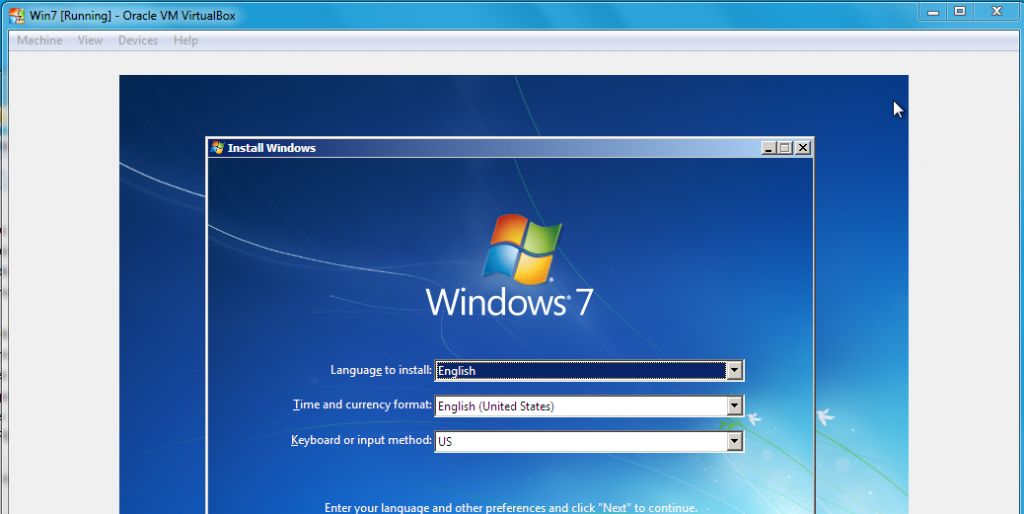
11) Windows 7 has installed and here is the startup interface
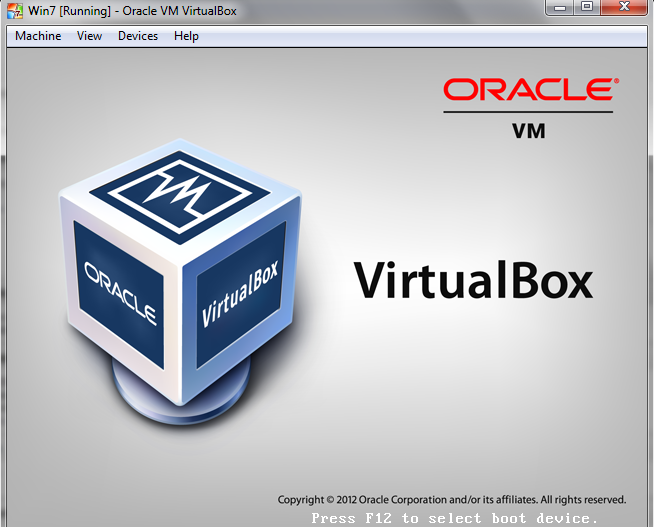
12) Your windows 7 is running :)

It's a installation tutorial. And I'll compare virtual box and vmware workstation in the future.
Enjoy coding !