eclipse中设置Java编辑器的line width
eclipse中设置Java编辑器的行宽
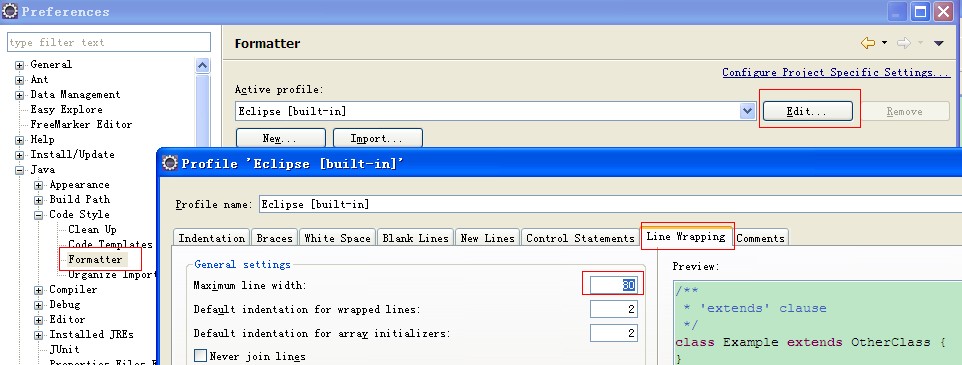
?
?
注:可以new一个自己的Active profile
- Comment width and line wrapping is set in Preferences->Java->Code Style->Formatter, then click on the Edit button and select the Comments tab. I like Line Width for Comments to be 120. Code line wrapping is set nearby, in Preferences->Java->Code Style- >Formatter, then click on the Edit button and select the Line Wrapping tab. I like a line width of 120 and indent size of 4.
Zz:http://www.systronix.com/book/tools/eclipse_tips.html