Design and implement POJO Web services using Spring and Apache CXF, Part 1: Intr
You create a Java main program that uses the Spring context to get the client bean defined, then invoke the processOrder method.
Listing 6. The client code
For building, deploying, and running the OrderProcess Web service and client, you use the Ant tool. The code is deployed on the Tomcat server. Deploy the code using the ant deploy command under the c:\orderapp folder.
The application folder (c:\orderapp) has the Ant build files. After running the above command, your orderapp code is deployed in the Tomcat server environment as the orderapp.war file. Now start the Tomcat Web server by providing the catalina start command under the CATALINA_HOME\bin folder.
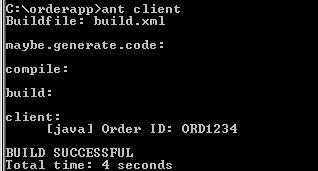
The orderapp folder is created under the webapps folder of Tomcat. After the server is started, run the application by entering the ant client command. The output displays the order ID (see Figure 2).
Figure 2. Program output
Conclusion
This article briefly described the features of the CXF framework and demonstrated how it lets you create a Web service without much coding effort. You learned about Spring integration with CXF using a bean context file. You also looked at how the framework abstracts the actual semantics of creating a Web service infrastructure component and provides you with a shell of a simpler API that simply focuses on Web service creation.
Now that you've seen the basics of Web service creation using CXF, check out Part 2 of this series, which shows you how to expose POJOs as RESTful services using CXF and Spring.