有线网卡与电信天翼3G无线USB网卡的双网卡电脑,如何实现同时访问“专网”和internet网?
操作系统为XP
有线固定网卡信息: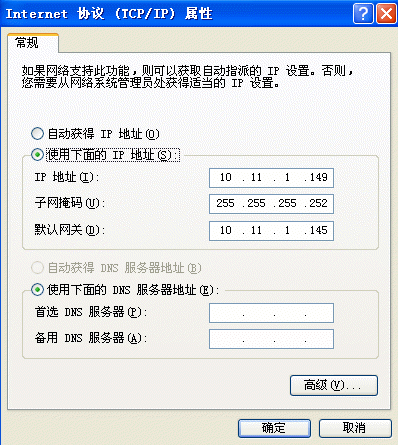
电信的天翼3G无线USB网卡信息: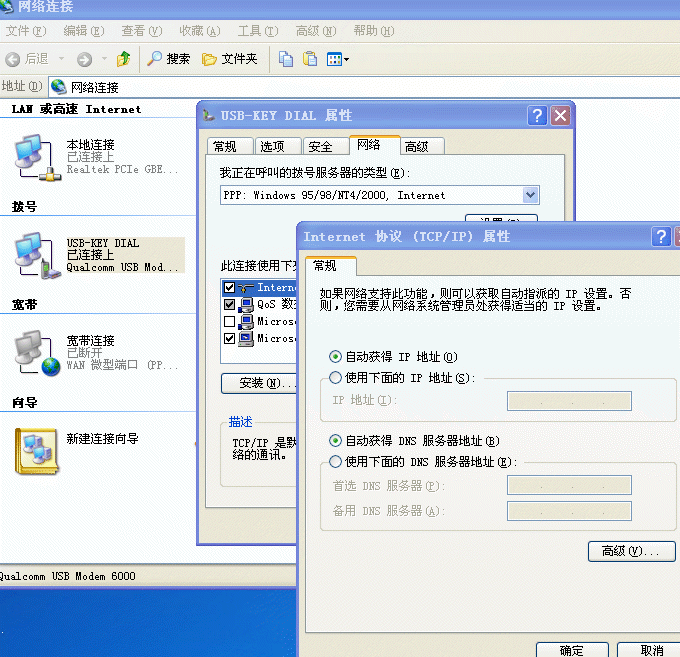
------------------------------------------------
ipconfig/all 的部分信息:
Ethernet adapter 本地连接:
Dhcp Enabled. . . . . . . . . . . : No
IP Address. . . . . . . . . . . . : 10.11.1.149
Subnet Mask . . . . . . . . . . . : 255.255.255.252
Default Gateway . . . . . . . . . : 10.11.1.145
PPP adapter USB-KEY DIAL:
Connection-specific DNS Suffix . :
Description . . . . . . . . . . . : WAN (PPP/SLIP) Interface
Physical Address. . . . . . . . . :
Dhcp Enabled. . . . . . . . . . . : No
IP Address. . . . . . . . . . . . : 182.206.208.221
Subnet Mask . . . . . . . . . . . : 255.255.255.255
Default Gateway . . . . . . . . . : 182.206.208.221
DNS Servers . . . . . . . . . . . : 219.148.204.66
219.149.6.99
------------------------------------------------
固定有线网卡连接“专网”通过IE访问“专网”
IE所访要问的专网地址:http://172.168.4.100:8000/lnfl/
电脑未插入电信天翼3G无线USB网卡前,上述访问正常。
电脑插入电信天翼3G无线USB网卡后,可以通过电信天翼3G,IE、QQ等都可正常访问internet,但此时就无法通过IE访问专网“http://172.168.4.100:8000/lnfl/”了
------------------------------------------------
取消了固定有线网卡的网关 10.11.1.145 后执行
route -p add 10.0.0.0 mask 255.0.0.0 10.11.1.145 metric 1
route后提示错误:The route addition failed: Either the interface index is wrong or the gateway does not lie on the same network as the interface. Check the IP Address Table for the machine.
还是只能访问internet而不能访问专网
------------------------------------------------
如何实现同时能访问专网又同时能上internet网?
[解决办法]
添加一个路由表,指定127.168.4.100访问走内网网卡!
------解决方案--------------------
取消了固定有线网卡的网关 10.11.1.145 后执行
route -p add 10.0.0.0 mask 255.0.0.0 10.11.1.145 metric 1
~~~~~~~~~~~~~~~~~~~~~~~~~~~~~~~~~~~~~~~~~~~~~~~~~~~~~~~~
是
取消了固定有线网卡的网关 10.11.1.145 后执行
route -p add 172.168.4.100 mask 255.255.255.255 10.11.1.145 metric 1
[解决办法]
把你内网的掩码改为255.255.255.0