为github帐号添加SSH keys
cd ~/.ssh# Checks to see if there is a directory named ".ssh" in your user directoryls# Lists all the subdirectories in the current directory# config id_rsa id_rsa.pub known_hostsmkdir key_backup# Makes a subdirectory called "key_backup" in the current directorycp id_rsa* key_backup# Copies the id_rsa keypair into key_backuprm id_rsa*# Deletes the id_rsa keypairssh-keygen -t rsa -C "your_email@example.com"# Creates a new ssh key using the provided email# Generating public/private rsa key pair.# Enter file in which to save the key (/home/you/.ssh/id_rsa):Enter passphrase (empty for no passphrase): [Type a passphrase]Enter same passphrase again: [Type passphrase again]Your identification has been saved in /home/you/.ssh/id_rsa.Your public key has been saved in /home/you/.ssh/id_rsa.pub.The key fingerprint is:01:0f:f4:3b:ca:85:d6:17:a1:7d:f0:68:9d:f0:a2:db your_email@example.comsudo apt-get install xclip# Downloads and installs xclipxclip -sel clip < ~/.ssh/id_rsa.pub# Copies the contents of the id_rsa.pub file to your clipboard?
?
- Go to your Account Settings
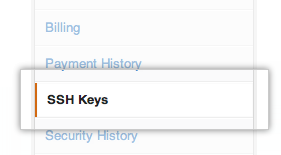 Click "SSH Keys" in the left sidebar
 Click "Add SSH key"
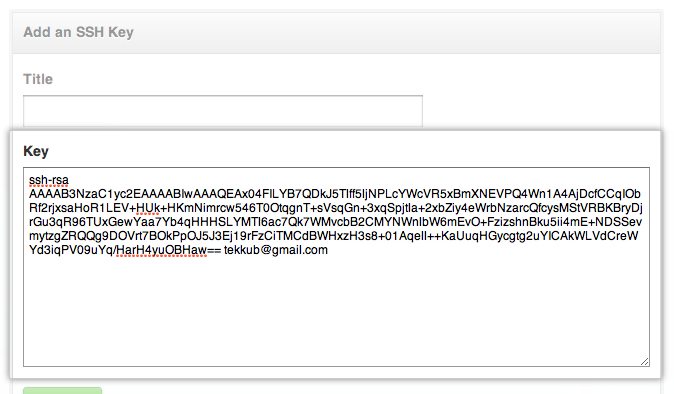 Paste your key into the "Key" field
 Click "Add key"Confirm the action by entering your GitHub password
?
?
?