Layout(布局)
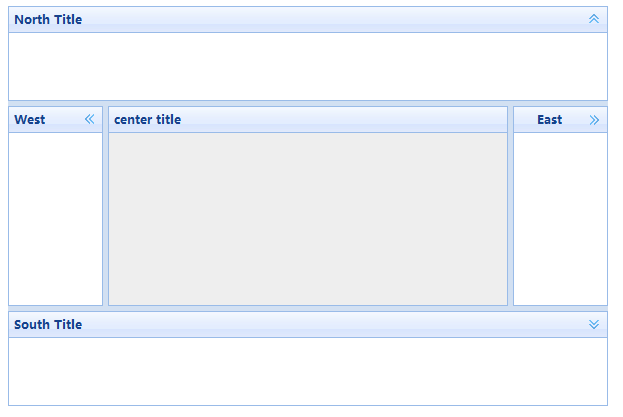
1、创建布局面板第一种方式(div中添加name="code"><div id="cc" style="width:600px;height:400px;"> <div data-options="region:'north',title:'North Title',split:true" style="height:100px;"></div> <div data-options="region:'south',title:'South Title',split:true" style="height:100px;"></div> <div data-options="region:'east',iconCls:'icon-reload',title:'East',split:true" style="width:100px;"></div> <div data-options="region:'west',title:'West',split:true" style="width:100px;"></div> <div data-options="region:'center',title:'center title'" style="padding:5px;background:#eee;"></div> </div>
如图:
 ?
?
2、第二种方式(body中添加name="code"><body style="height:100px;"></div> <div data-options="region:'south',title:'South Title',split:true" style="height:100px;"></div> <div data-options="region:'east',iconCls:'icon-reload',title:'East',split:true" style="width:100px;"></div> <div data-options="region:'west',title:'West',split:true" style="width:100px;"></div> <div data-options="region:'center',title:'center title'" style="padding:5px;background:#eee;"></div> </body>
3、布局面板属性:
?
1)、title:布局面板的标题2)、region:布局面板所在区域,可以取north、south、east、west、center3)、border:是否显示布局面板的边框,默认true显示4)、split:分隔条,设置为true,用户可以拖动分割条来改变面板的尺寸,默认是false5)、iconCls:显示布局面板头部图标,需要引入/themes/icon.css文件6)、href:载入超链接的数据
例子:
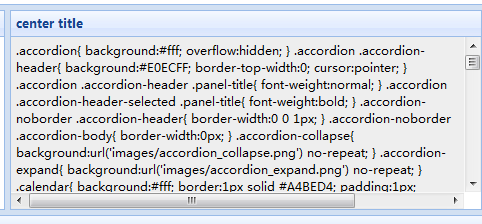
<div data-options="region:'center',title:'center title',href:'../js/easyUi/themes/default/easyui.css'" style="padding:5px;background:#eee;"></div>
如图:
例子:
<div data-options="region:'north',title:'North Title',split:true,border:false" style="height:100px;"></div>
如图:
 ?
?
4、方法:
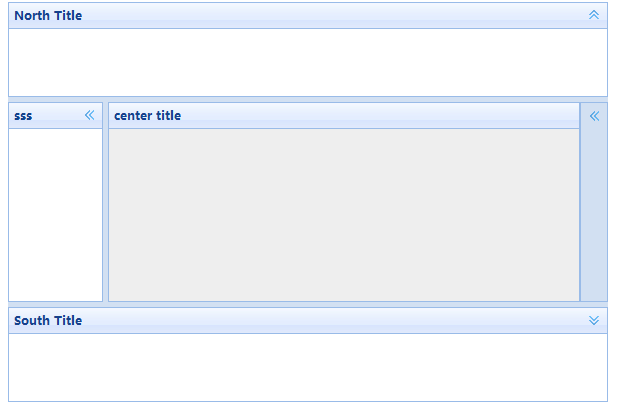
1)、collapse:折叠指定的布局面板,可选参数为north、south、east、west<script type="text/javascript">$(function(){$('#cc').layout('collapse','east'); });</script>如图:
 ?
?
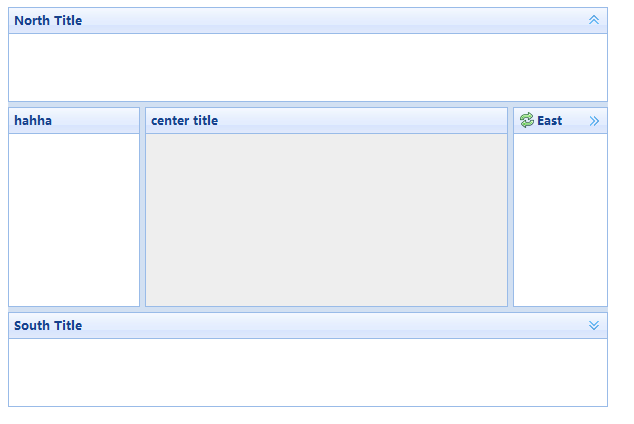
如果不想要隐藏按钮,但又需要一个头部标题(fit属性可以让它自适应父容器尺寸):
<div id="cc" style="width:600px;height:400px;"> <div data-options="region:'north',title:'North Title',split:true" style="height:100px;"></div> <div data-options="region:'south',title:'South Title',split:true" style="height:100px;"></div> <div data-options="region:'east',iconCls:'icon-reload',title:'East',split:true" style="width:100px;"></div> <div data-options="region:'west',title:'',split:true" style="width:100px;"> <div data-options="title:'hahha',border:false,fit:true"></div> </div> <div data-options="region:'center',title:'center title',href:''" style="padding:5px;background:#eee;"></div> </div>
如图:
 ?
?