初探js特效魅力之“分享到”侧边栏
初探js特效魅力之“分享到”侧边栏
鼠标没经过时,藏在旁边,鼠标悬浮时就跑出来,先看一下效果图吧:
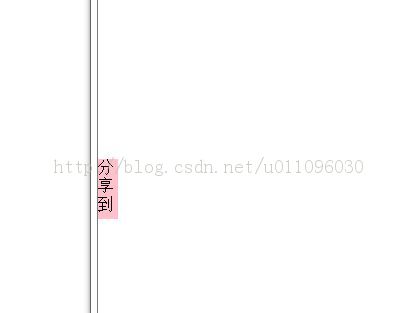
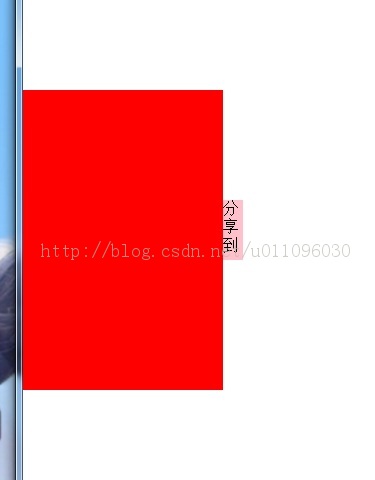
<!DOCTYPE html PUBLIC "-//W3C//DTD XHTML 1.0 Transitional//EN" "http://www.w3.org/TR/xhtml1/DTD/xhtml1-transitional.dtd">
<html xmlns="http://www.w3.org/1999/xhtml">
<head>
<meta http-equiv="Content-Type" content="text/html; charset=utf-8" />
<title>无标题文档</title>
<style>
#div1{
width:200px;
height:300px;
background:red;
position:absolute;
left:-200px;
top:200px;
}
#div1 span{
width:20px;
height:60px;
position:absolute;
background:pink;
right:-20px;
top:110px;
}
</style>
<script>
window.onload=function(){
var oDiv=document.getElementById('div1');
oDiv.onmouseover=function(){
move(0);
}
oDiv.onmouseout=function(){
move(-200);
}
var times;
function move(iTarget){
clearInterval(times);
times=setInterval(function(){
var speed;
if(oDiv.offsetLeft < iTarget){
speed=10;
}
else{
speed=-10;
}
if(oDiv.offsetLeft == iTarget){
clearInterval(times);
}
else{
oDiv.style.left=oDiv.offsetLeft+speed+'px';
}
},30);
}
}
</script>
</head>
<body>
<div id='div1'>
<span>分享到</span>
</div>
</body>
</html>