Android锁定横竖屏、splash,全屏、去除标题的方法-网摘
?
在这个activity的标签中加入?
android:theme="@android:style/Theme.Black.NoTitleBar"?
即:?
<activity?
?????????? android:label="@string/app_name"?
?????????? android:name=".LockTheScreenActivity"?
android:theme="@android:style/Theme.Black.NoTitleBar"?
?????????? >?
????????????? </activity>?
??? 这样就可以去掉这个Activity的标题栏了。如下图:?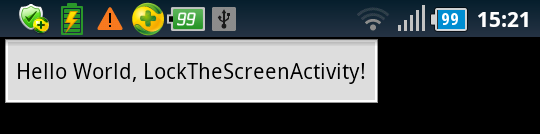 ?
?
b)代码实现的做法:?
如果在AndroidManifest.xml上已经配置了android:theme="@android:style/Theme.Black.NoTitleBar"?
就先去掉它。?
@Override?
??? public void onCreate(Bundle savedInstanceState) {?
??????? super.onCreate(savedInstanceState);?
??????? requestWindowFeature(Window.FEATURE_NO_TITLE);?
??????? setContentView(R.layout.main);?
}?
运行后效果如上图所示。?
2. 全屏展示的实现:?
a)在AndroidManifest.xml中配置:?
如果要某个Activity全屏的做法如下:?
<activity?
?????????? android:label="@string/app_name"?
?????????? android:name=".LockTheScreenActivity"?
android:theme="@android:style/Theme.Black.NoTitleBar.Fullscreen"?
?????????? >?
????????????? </activity>?
运行效果如图:? ?
?
b)代码实现:?
如果已经在AndroidManifest.xml中已经配置了android:theme="@android:style/Theme.Black.NoTitleBar.Fullscreen"?
就先去掉。?
@Override?
??? public void onCreate(Bundle savedInstanceState) {?
??????? super.onCreate(savedInstanceState); getWindow().addFlags(WindowManager.LayoutParams.FLAG_FULLSCREEN);?
??????? requestWindowFeature(Window.FEATURE_NO_TITLE);?
??????? setContentView(R.layout.main);?
}?
运行效果如上图。?
3.锁定横屏或竖屏。?
?? 在没有设置屏幕方向的情况下会默认设置为:android:screenOrientation="unspecified"?
?? 即未指明屏幕方向,会根据屏幕的方向做改变。?
a)在AndroidManifest.xml中配置:?
如果使某个Activity做横竖屏的变化,在Activity的标签中加入如下配置。?
<!-- android:screenOrientation="portrait" 竖屏?
android:screenOrientation="landscape " 横屏?
android:screenOrientation="unspecified" 未指明方向?
-->?
<activity?
??????????? android:label="@string/app_name"?
??????????? android:name=".LockTheScreenActivity"?
??????????? android:screenOrientation="portrait"?
? ></activity>?
这个就不再贴图了。?
b)代码实现如下:?
@Override?
??? public void onCreate(Bundle savedInstanceState) {?
??????? super.onCreate(savedInstanceState);?
??????? setRequestedOrientation(ActivityInfo.SCREEN_ORIENTATION_LANDSCAPE);// 横屏?
//setRequestedOrientation(ActivityInfo.SCREEN_ORIENTATION_PORTRAIT) 竖屏?
??????? setContentView(R.layout.main);?
??? }?
4.使整个应用锁定竖且全屏展示的实现?
在AndroidManifest.xml中配置:?
在application的标签中加入android:theme="@android:style/Theme.Black.NoTitleBar.Fullscreen"对整个应用生效?
在对应的Activity的标签中加入android:screenOrientation="landscape"对当前的Activity生效。?
配置实现如下:?
<application?
??????? android:icon="@drawable/ic_launcher"?
??????? android:label="@string/app_name"?
??????? android:theme="@android:style/Theme.Black.NoTitleBar.Fullscreen"?
??????? >?
??????? <activity?
??????????? android:label="@string/app_name"?
??????????? android:name=".LockTheScreenActivity"?
??????????? android:screenOrientation="landscape"?
??????????? >?
??????????? <intent-filter >?
??????????????? <action android:name="android.intent.action.MAIN" />?
??????????????? <category android:name="android.intent.category.LAUNCHER" />?
??????????? </intent-filter>?
??????? </activity>?
</application>?